本記事はアフィリエイト広告(PR)を含みます。最終更新:2026年11月6日
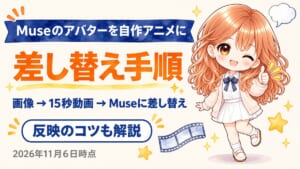
- 手順は大きく 3 つ。アバター画像を用意し、Grok Bot で 15 秒のループ動画にして、Muse に動画ファイルの差し替えを頼む。
- 反映のしかたは端末で違う。筆者の環境では、Android と Windows PC はログアウトして再ログイン、iPhone はアプリの再インストールで反映した。
- Muse は使用制限付きで無料で始められる。有料は Power($20/月)と Maximum($100/月)。
- 動画ファイルの差し替えは公式ヘルプに書かれていない方法。筆者とほかの利用者の環境で確かめた結果として読んでほしい。
招待コードは 99SZT0。参加後 48 時間以内に設定でこのコードを使うと、筆者と参加者の両方に 10 億 Muse トークンが付与される。
Muse のアバターで何ができるか
Muse from Meta は、利用者の指示に応じてアクションを実行し、ほかのアプリやサービスと接続できるパーソナル AI エージェントだ。公式ヘルプでは、名前・性格・コミュニケーションスタイル・メモリーに加えて、「絵文字とアイデンティティ」としてアバターとタグラインを変更できると説明されている。変更は会話の中で Muse に頼んでも、手動で編集してもよい。
アバターには状態ごとのアニメーションがあり、筆者の環境では待機・作業中・生成中・完了の 4 種が再生される。この 4 本をすべて自作の動画に差し替えたのが今回の作業だ。動画ファイルの差し替えそのものは公式ヘルプに記載が無く、筆者と、先に試していたほかの利用者の環境で確かめた方法になる。
料金と使える条件
- Muse:使用制限付きで無料。上限を超えて使うなら Power($20/月、毎週 5 億 Muse トークン)か Maximum($100/月、毎週 30 億 Muse トークン)。試験運用中で提供地域が限られ、Meta アカウントでログインする。筆者の画面では 2026年11月6日時点で Power 月 2,799 円、Maximum 月 13,990 円と表示されたが、表示は地域とアカウントで変わる。
- Grok Bot:The X Subscription の Premium($30/月)・Super($100/月)・Ultra($200/月)に含まれる。Plus($8/月)には含まれない。価格は税別。
- PixAI:LoRA の学習は会員なら無料枠があり、スタート/プラス/プレミアムの各プランで月に 3 回/5 回/10 回。
- 料金と対象プランは変更されるため、最新情報は各公式ページで確認してほしい。
使い方
手順 1:学習用の画像を GPT で用意する
まず GPT で好みのキャラクター画像を作り、気に入った絵ができたところで「LoRA 学習用の画像を 30 枚つくって」と頼んだ。これで同じキャラクターの画像 30 枚(すべて 1086×1448)がそろう。
手順 2:PixAI でキャラクターの LoRA を学習する
PixAI のアドバンス学習で、ベースモデルに Tsubaki.3 を選び、30 枚をアップロードした。自動で付く説明文は、髪と瞳の色を teal に寄せ、人物の表現を girl から young woman に直している。トリガーワードは次のとおり。
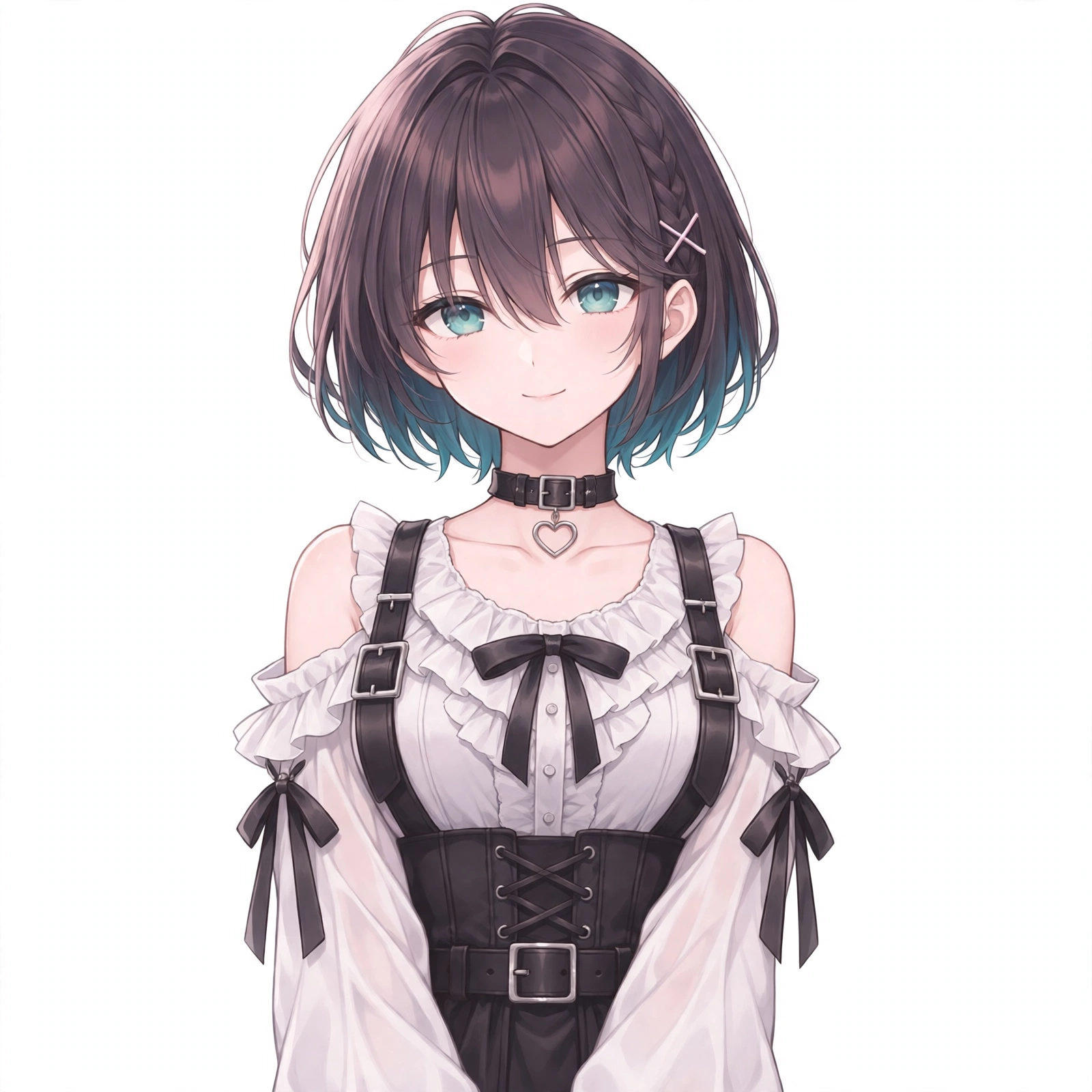
muse_mio, short dark brown bob, teal inner hair, teal eyes学習後は Tsubaki.3 に作った LoRA を組み合わせ、強度 0.7・768×1280・4 枚同時で見た目を確かめた。衣装は白いオフショルダーのフリルブラウス、黒いリボンとコルセット、ハートのチョーカーに決め、これを基準画像にした。PixAI の公式手順は「画像を用意 → ベースモデルを選ぶ → LoRA タイプとトリガーワードを設定 → 学習開始 → 生成に使う」で、画像は 10〜30 枚が目安とされている。なお LoRA は必須ではなく、顔・髪・衣装・画風を合わせた基準画像が 1 枚あれば次の手順に進める。
PixAI は、ポーズや構図を変えてもキャラクターのデザインが保たれるのが強みだ。下の招待リンクから登録すると、筆者と登録者の両方に 50,000 クレジットが付与される。
手順 3:4 状態の開始画像を Grok Bot で作る
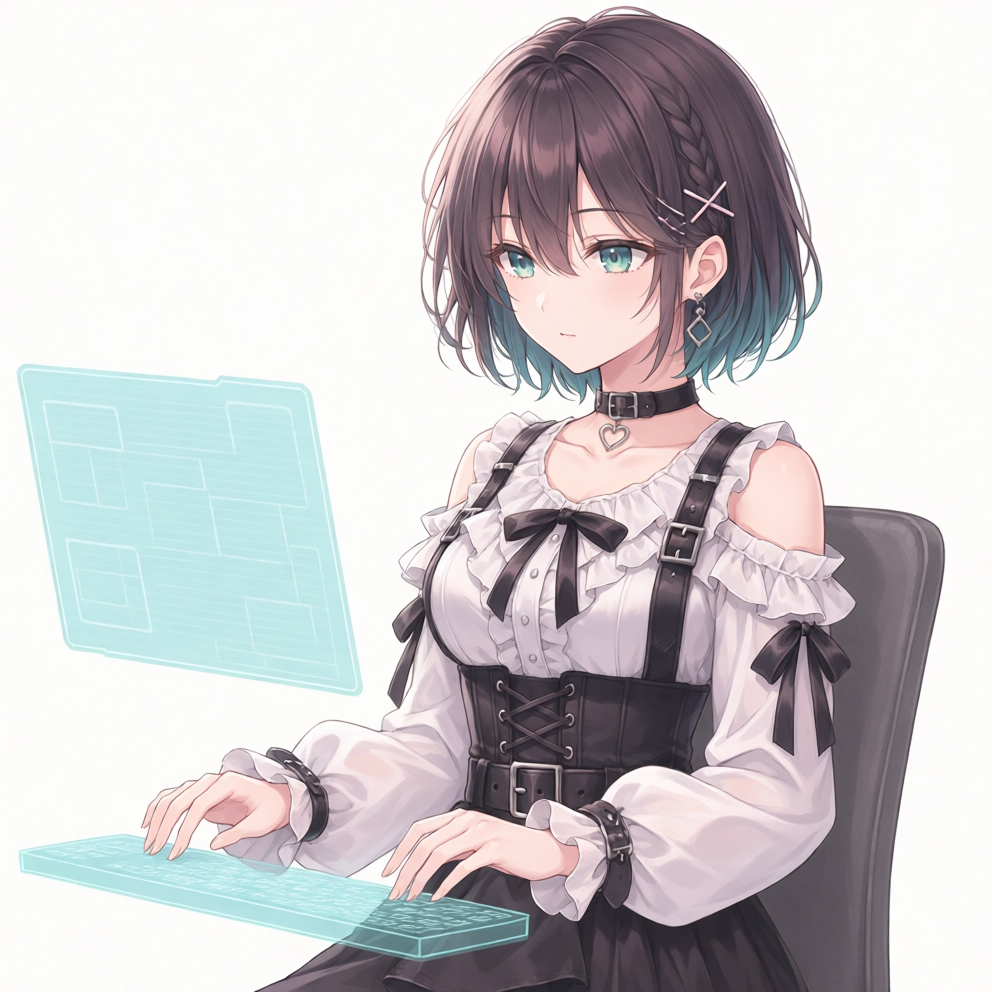
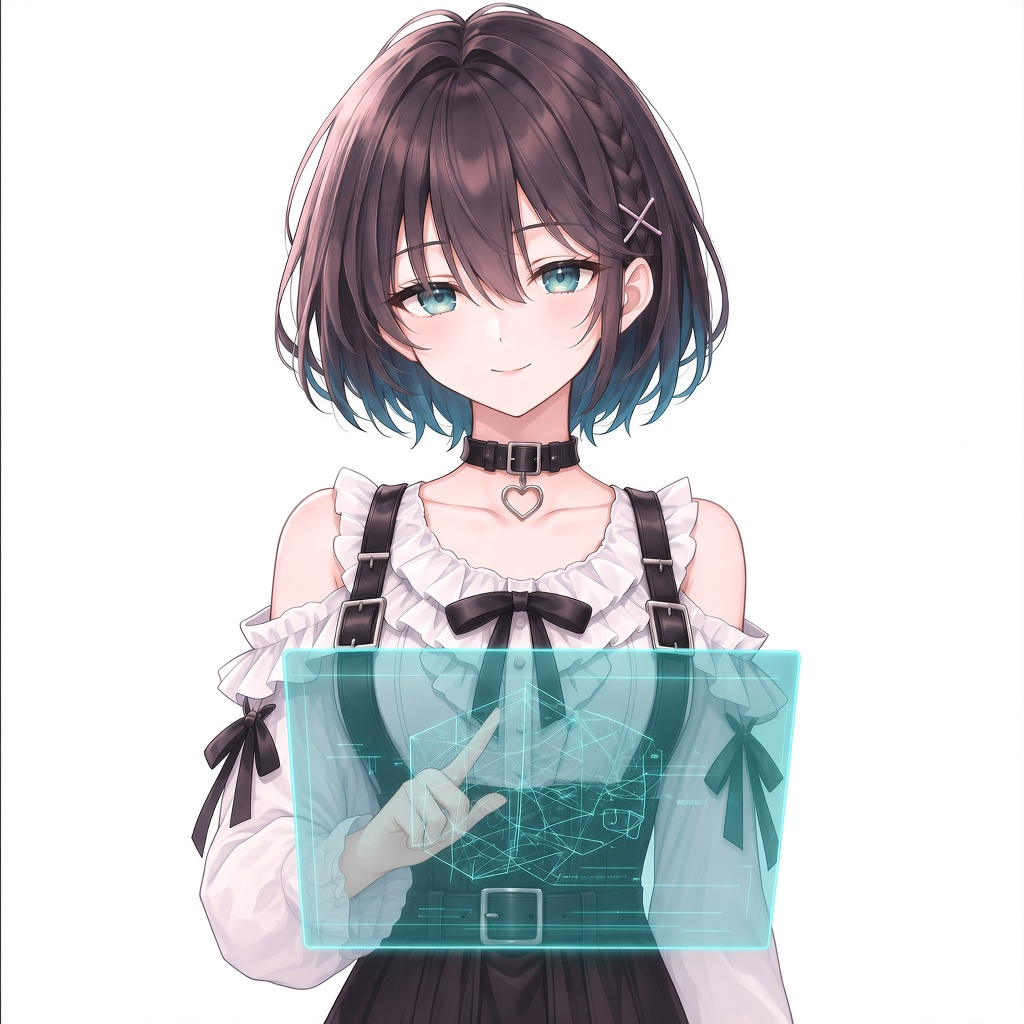
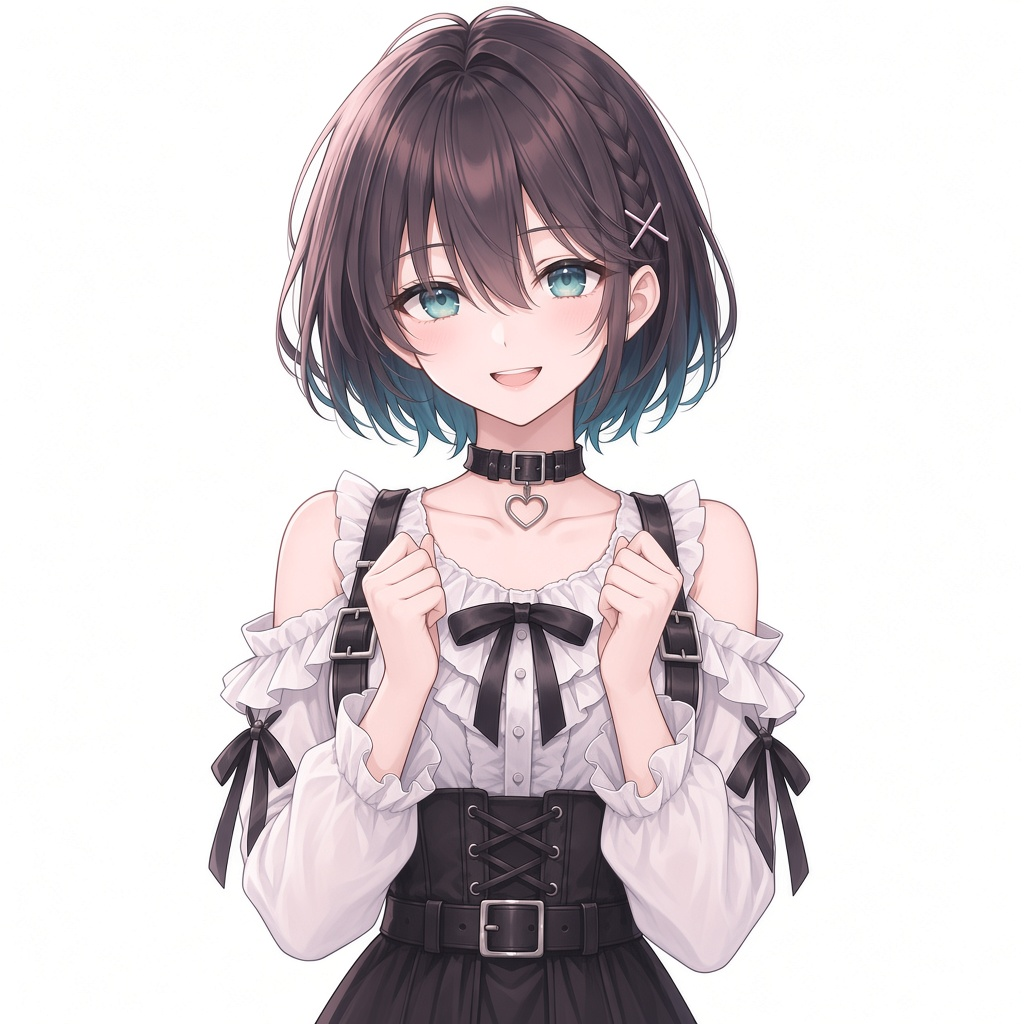
基準画像をもとに、待機(基準画像と同じ構図)、作業中(ホログラムのキーボードを打つ)、生成中(胸の前の浮遊パネルを指で操作)、完了(両手を握って喜ぶ)の 4 枚を作った。動かすときに破綻しないよう、手の位置を先に決め、動かすための余白を取っておく。
手順 4:各画像から 15 秒の動画を Grok Bot で作る
開始画像を動画の最初と最後のフレームに指定し、カメラは固定、動作は順番を決めて指示する。最初と最後を同じ画像にしても、それだけで完全なループになるとは限らない。今回の制作ファイルは 4 本とも 480×480・各約 15 秒・MP4・無音で、無音化は生成後に別に処理した。これは今回のファイルの仕様で、Muse 側の必須仕様ではない。Grok Imagine は画像から最長 15 秒の動画を作れ、画像から作る場合は元の縦横比が保たれる。実際に使った指示文は作例の項に載せた。
手順 5:動画を確かめる
腕が増えていないか、指が崩れていないか、頭が見切れていないか、衣装が変わっていないか、意図しないズームが入っていないか、ループのつなぎ目が目立たないかを見る。今回は基準画像があったので、人体の破綻はほぼ起きなかった。
手順 6:Muse に動画ファイルの差し替えを頼む
Muse に動画を渡し、「動画ファイルを直接差し替えて」と頼む。どの動画をどの状態に使うかは、待機・作業中・生成中・完了という状態の名前で指定した。「アニメを変更して」と頼むとプリセットの変更になってしまうので、ファイルの差し替えだと明示するのがポイントだ。先に試していたほかの利用者の投稿では、ワークスペースの avatars フォルダにある MP4 を同じファイル名で上書きし、元の動画の仕様(その環境では 720×720・24fps・8 秒)に整形してから差し替えていた。
手順 7:端末で反映を確かめる
差し替えただけでは表示が変わらないことがある。筆者の環境では、Android と Windows PC はログアウトして再ログインすると反映し、iPhone はアプリを再インストールして反映した。ほかの利用者の投稿では、Android でキャッシュクリアでは変わらず、再インストールで反映している。端末ごとに効く方法が違うので、反映されなくても別の方法を試してほしい。すべての環境で直る方法とは言い切れない。
作例:4 状態の動画と、実際に使った指示文
以下は筆者の環境で Grok Bot に渡した指示文の原文と、できた動画。共通の設定は、15 秒、同じ静止画を開始と終了のフレームに指定、解像度の指定なし。文中の <IMAGE_0> は各状態の開始画像、<IMAGE_1> はキャラクターシートで、シートを添えたのは待機と作業中の 2 本だけ。実際に使用した指示文であり、すべての指示が生成結果に完全に反映されたわけではない。生成中の図形の持続的な変化や、完了の頭上の見切れ・衣装・ループには不完全な点がある。
待機
Animate <IMAGE_0> only as exact first and last frame. Keep identical front-facing chest/waist-up framing, scale, and plain white background. <IMAGE_1> is identity sheet only—never show panels. No props, chair, keyboard, or monitor.

ABSOLUTE LOCKED-OFF CAMERA: fixed position, orientation, focal length, and framing for the entire clip. NO zoom, dolly, pan, tilt, orbit, crop/reframe, or simulated camera breathing.

Adult Mio from <IMAGE_0>: dark-brown bob with teal inner hair, teal eyes, white off-shoulder frilled blouse, black corset, black heart choker; preserve bob and X pins. Calm, quiet, slow.

Ordered sequence (do not overlap):
0–2s: quiet idle, both hands resting down/out of frame, sparse blinks/breathing.
2–5s: small slow sideways head roll (ear toward shoulder, chin level—not a nod); both hands stay down; then return fully upright facing viewer.
5–7s: distinct quiet pause, head upright, hands still down.
7–11s: ONE hand lifts once and lightly touches/smooths hair near the ear EXACTLY ONCE while head stays upright; other hand stays still down. No second touch, no repeated gesture.
11–15s: touching hand lowers; settle into original neutral gentle closed-mouth smile with EYES OPEN matching the starting image; blinking/breathing only.

No speech or lip sync, no nodding, no excessive movement. One continuous take. Seamless return to <IMAGE_0>.
作業中
Single continuous shot from <IMAGE_0>; same image is first and last frame for a seamless loop. Fixed camera, no cuts. Do not animate <IMAGE_1>; it is a character-design sheet for face/outfit consistency only—never show sheet panels or collage.

Adult Mio, exact face from <IMAGE_0>: short dark-brown bob with teal inner hair, teal eyes, white off-shoulder frilled blouse, black corset, black heart choker. Same gray chair, clean white background. Keep the existing translucent cyan holographic keyboard and the existing translucent cyan monitor panel on the LEFT of the frame stable—do not move, duplicate, or replace the panel.

Most of the clip: calm natural two-handed typing on the keyboard, subtle blinks, slight breathing and hair motion, focused gaze toward the monitor.

Midway: her hand nearest the monitor (on screen-left; anatomical right in this view) reaches directly to the visible panel surface on screen-left. Index fingertip visibly touches a control INSIDE the panel boundary; a small localized cyan ripple/light appears directly under the fingertip confirming real contact—not empty air, not a disconnected effect, not tapping beside the panel. One simple tap. Hand then smoothly returns to the keyboard with unhurried time, resumes typing, and settles back into the exact initial pose before the end.

Stable five-finger anatomy, no abrupt snap-back, no speaking or lip sync, no camera movement, no costume drift, no new props. Minimal motion overall.
生成中
Animate <IMAGE_0> as exact first and last frame for a seamless loop. Keep this exact adult Mio face, outfit, hair, white background, and the large centered floating translucent teal landscape hologram.

ABSOLUTE LOCKED-OFF CAMERA; panel rigid same size/position, floating with no support/grip. NO zoom/pan/reframe.

Exactly TWO arms: left arm (viewer-right) stays relaxed DOWN beside the torso for the entire video—never rises to the panel. Right arm (viewer-left) already raised in the source remains the sole operating arm throughout; do not add or vanish an arm.

Eyes begin looking forward per the still, then clearly lower toward the panel while working, and return forward by the end.

Panel content: abstract teal geometry ONLY (wireframes, triangles, polygons, nodes)—NO landscapes, flowers, icons, spheres. Main feedback is CONTENT CHANGE, not ripple: NO concentric ripple circles or pulse-only effects. Each operation visibly replaces the panel image with a new persistent layout until the next action. Slow ambient geometric motion between actions is OK.

Three sequential actions with the same right index finger:
~2–4s TAP1: contact; sparse angular wireframe unfolds into a connected triangle mesh that replaces the original and persists.
~6–8s one deliberate horizontal SWIPE: the entire mesh rearranges into a different geometric layout following the fingertip and persists.
~10–11s TAP2: contact; layout replaces with a denser structured polygon/architectural wireframe and persists.
~12–15s right hand returns to the original poised position; geometry subtly returns toward the source panel state for loop; no extra hand action. Match <IMAGE_0> at the end.

Calm slow motion; well-defined fingers; no fusion; no speech.
冒頭の landscape hologram は横長のパネルという意味で、風景を表示する指示ではない。
完了
Animate <IMAGE_0> as exact first and last frame for a seamless celebration loop. Keep this exact adult Mio face, art style, outfit, brown/teal bob, X hairpin, teal eyes, white frills, black straps/corset, heart choker, bright happy smile, and plain white background. Keep the same bust/waist-up framing.

ABSOLUTE LOCKED-OFF CAMERA: fixed position, scale, and framing. NO zoom in/out, NO pan/reframe, NO full-body transformation. Keep hair and head entirely inside the frame without increasing scale.

Exactly TWO arms and TWO hands: both already raised small loose fists near the chest stay as fists—gentle small celebratory lift/squeeze near the chest, then pause happily, then naturally settle exactly to the original pose. No greeting wave. No finger melting, no new arms.

Motion: EXTREMELY SMALL low-amplitude happy buoyant body bounce because the head top is near the border—hair must NEVER exit the frame. Small natural hair and sleeve follow-through only. No dramatic jumping or big pumps.

NO stars, sparkles, props, text, hologram, or dialogue. Calm joyful single continuous take. Return to <IMAGE_0> at the end.
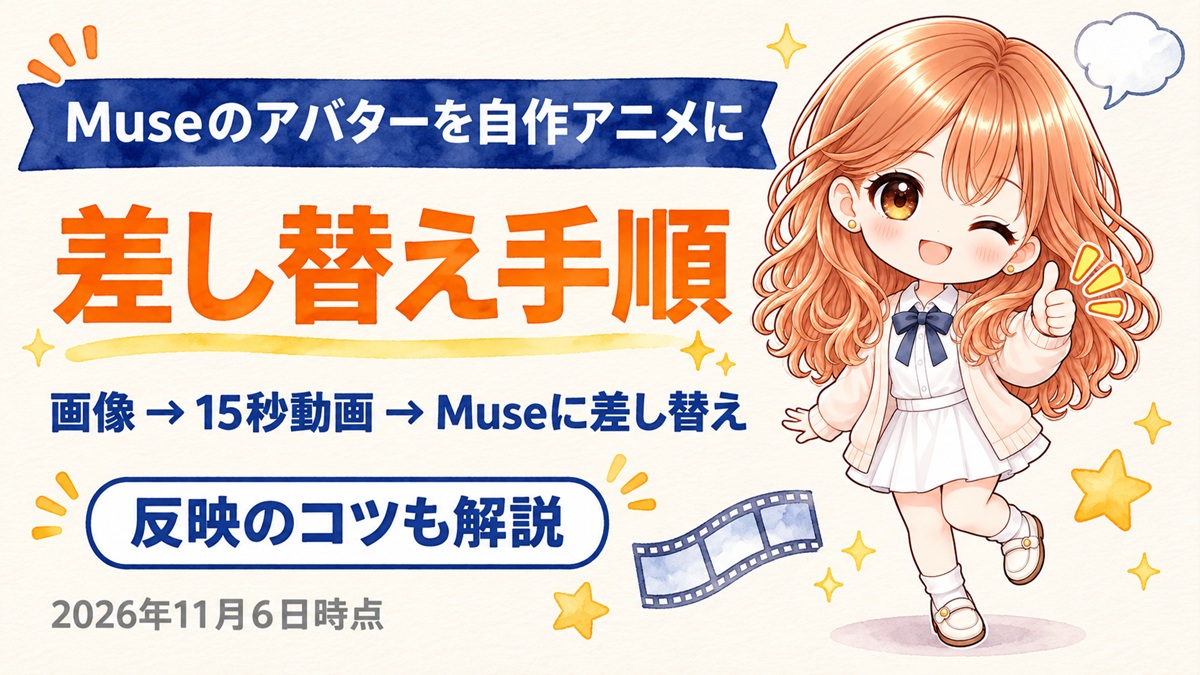
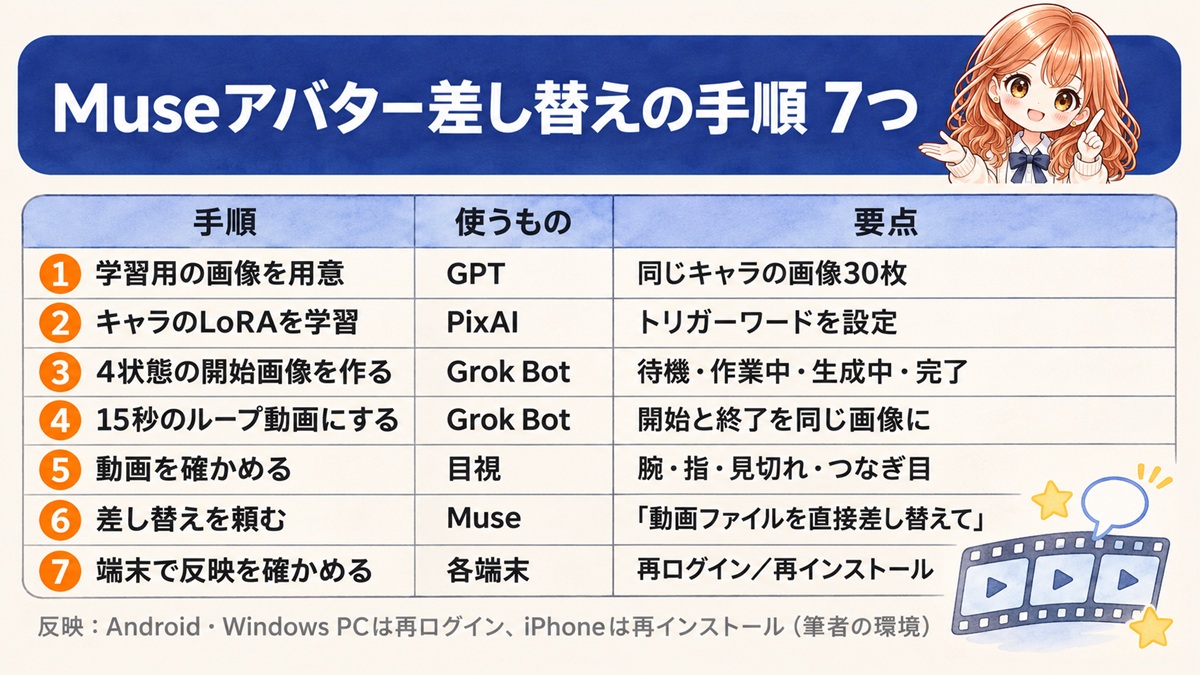
手順をひとつの画像にまとめた。
注意点と、確かめられなかったこと
- 動画ファイルの差し替えは、Muse の公式ヘルプに書かれていない。今後の更新で動かなくなる可能性がある。
- Grok Bot の料金と対象プランは変わることがある。契約の前に公式の料金表を確かめてほしい。
- PixAI で画像を生成したときの英語のプロンプト全文、ネガティブプロンプト、学習の細かい数値は記録に残っていない。本文の構図と衣装の説明は作業の要約で、使用した原文ではない。
- 反映のしかたは端末と環境で違う。本文の方法は筆者の環境での結果で、すべての環境で同じとは限らない。
- Muse は試験運用中で、提供地域が限られる。地域によっては利用できない。
よくある質問
Q. 「アニメを変更して」と頼むのと何が違うのか。
A. 「アニメを変更して」だと、Muse はプリセットのアニメーションを切り替えるだけで、自作の動画にはならない。自作の動画を渡したうえで「動画ファイルを直接差し替えて」と頼み、状態の名前で対応づけるのがポイントだ。
Q. 動画の長さと大きさはどうすればよいか。
A. 筆者は 480×480・約 15 秒・MP4・無音の動画 4 本で反映できた。ほかの利用者の環境では元の動画が 720×720・24fps・8 秒で、それに合わせて整形していた。Muse 側の必須仕様は確かめられていないので、まず元の動画の仕様を Muse に確かめてもらい、合わせておくと安全だ。
Q. iPhone で差し替えが反映されない。
A. 筆者の環境では、iPhone はログアウトと再ログインでは変わらず、アプリを再インストールして反映した。Android と Windows PC は再ログインで反映している。端末ごとに効く方法が違うので、順に試してほしい。
まとめ
- Muse のアバターアニメ 4 種は、画像から Grok Bot で作った 15 秒のループ動画に差し替えられる。
- 頼み方は「動画ファイルを直接差し替えて」。「アニメを変更して」だとプリセットの変更になる。
- 反映は Android と Windows PC が再ログイン、iPhone が再インストール(筆者の環境)。反映されなくても別の方法を試す。
注意事項・免責
- 本記事の情報は2026年11月6日時点のものです。機能・料金・対象プランは変わる場合があります。最新の情報は Muse・Grok・PixAI の公式ページでご確認ください。
- 作例と反映のしかたは筆者の環境での結果です。同じ手順でも同じ結果になるとは限りません。動画ファイルの差し替えは公式に案内されている方法ではありません。
- 本記事はアフィリエイト広告(PR)を含みます。Muse と PixAI のリンクは筆者の招待リンクです。